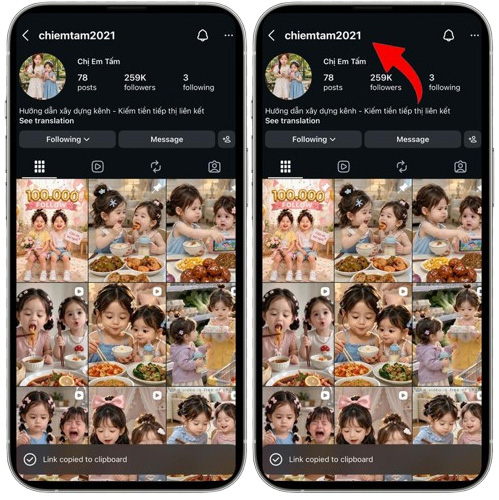
Copy the Username:
Copy the Instagram profile Username whose picture you want.


Instagram Profile Picture Downloader is a free online web app by which you can view and download full-size Instagram DPs.
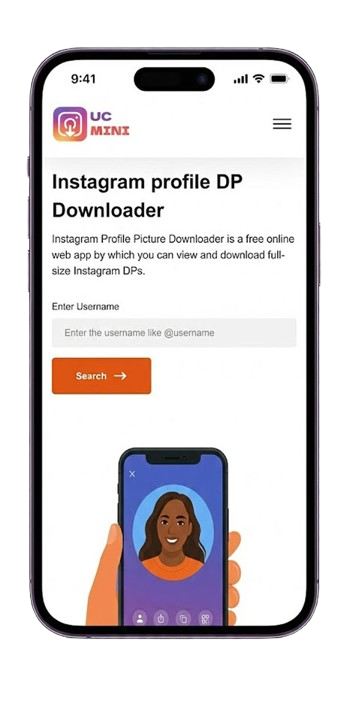

There was that one time you came across an Instagram account, and one thing caught your eye: the profile picture. That tiny, blurry image Instagram refuses to show in full size. And right then, a question popped into your head, "Is there actually a way to see this photo clearly, or better yet, download Instagram DP Profile Picture?”
The good news? Absolutely. With a smart and simple tool called the Instagram profile picture downloader, you can save your desire in just seconds, like a pro, when Instagram has limitations! It’s so smooth. You’re about to discover a trick Instagram definitely doesn’t want you to know, a shortcut that takes you straight to the full-sized image, before it disappears or the profile goes private. Curious how it works? Stick around, what you’ve been looking for is just a scroll away.
No more zooming in, taking blurry screenshots, or struggling to see that tiny circle clearly. Our smart tool does all the heavy lifting, letting you view and download them in full size instantly by following these steps:
 1
1
Copy the Instagram profile Username whose picture you want.
 2
2
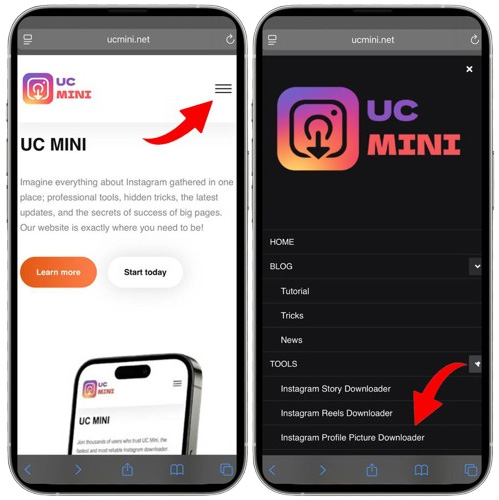
Head to Ucmini.net and select the Instagram Profile Picture Downloader from the menu.
 3
3
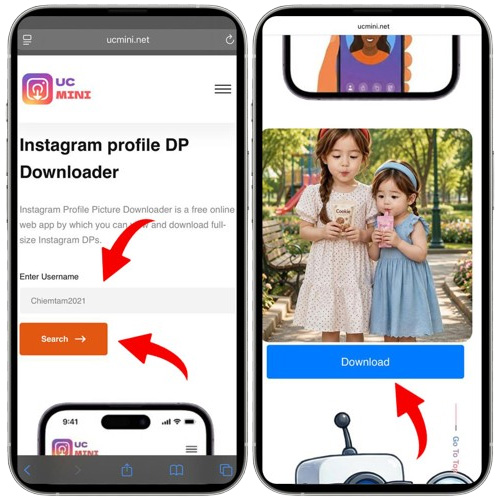
Paste or type the username into the search box, then hit "Download" to save the profile picture instantly.
Download Instagram DP profile picture shouldn’t feel like chasing a ghost. With our tool, it’s as simple as typing a username and hitting download. Keep reading, because this is just the beginning:
ucmini lets you download your Instagram DP Profile with just a few clicks; no technical skills are required.
Enjoy unlimited downloads for free, with no hidden fees or subscriptions.
Get high-quality Instagram profile photos without the annoying watermarks and limitations.
Download your favorite DP photos in seconds with ucmini's fast and efficient service.
Instant access and no account creation are needed. Just paste the URL and download!
We don't track your activity. Your downloads remain yours alone, safe, anonymous, and secure.
You can easily get an Insta DP in full HD by pasting the URL into our downloader and hitting “Download.” No app or login required!


